Многие автовладельцы полагают, что если полис получен через страховую компанию или агента, значит, он точно действителен. Но это не всегда так. В Украине зафиксированы случаи мошенничества, когда недобросовестные агенты продают поддельные полисы, которые не зарегистрированы в официальной базе. В случае аварии или проверки полиции такой полис становится бесполезным. Также могут возникнуть ошибки при оформлении - указаны неверные данные, забыли внести авто в базу МТСБУ и т.д. Поэтому проверка страховки на авто - это шаг, который необходимо делать:
после оформления полиса ОСАГО, особенно в электронном виде;
при покупке подержанного автомобиля, чтобы убедиться в актуальности полиса;
при подозрении на подделку;
если вы забыли дату окончания действия полиса;
для контроля своих расходов и своевременного продления ОСАГО.
Как проверить страховку на автомобиль на подлинность
Если вы хотите удостовериться, что ваш полис действителен, и избежать проблем на дороге, важно знать как проверить страховку на автомобиль на подлинность. В Украине это можно сделать через несколько официальных каналов.
Онлайн-проверка на сайте МТСБУ
Самый простой и надежный способ - воспользоваться сайтом Моторного (транспортного) страхового бюро Украины. Вот как это сделать:
Перейдите по ссылке: https://policy-web.mtsbu.ua.
Выберите раздел «Перевірка чинності полісу ОСЦПВ».
Введите либо государственный номер автомобиля, либо номер страхового полиса.
Система автоматически покажет:
дату начала и окончания полиса;
название страховой компании;
статус полиса (действующий, аннулированный, просроченный);
тип документа (электронный или бумажный).
Таким образом, вы можете проверить страховку на автомобиль бесплатно и без регистрации. Это особенно удобно при оформлении полиса онлайн или проверке чужого авто перед покупкой.
Как проверить электронную страховку на автомобиль
С момента введения электронных полисов ОСАГО (е-ОСЦПВ) в Украине процесс страхования стал более удобным. Оформление занимает считанные минуты, и документ приходит на электронную почту. Однако именно электронная страховка на автомобиль чаще всего вызывает сомнения - существует ли она в базе, соответствует ли заявленным данным? Чтобы проверить электронную страховку на автомобиль, сделайте следующее:
Откройте сайт МТСБУ и выполните проверку по номеру авто или полису.
Сравните информацию в PDF-документе с данными, отображаемыми в системе.
Убедитесь, что совпадают: госномер, имя владельца, срок действия, VIN-код авто.
Также в письме, которое вы получаете после оформления е-полиса, обычно есть прямая ссылка на проверку подлинности, ведущая на МТСБУ.
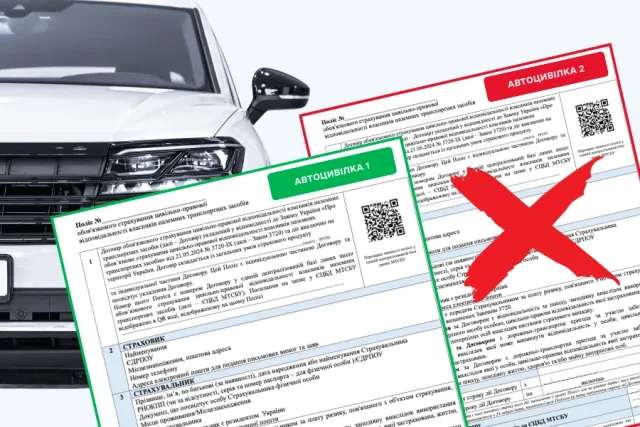
Как проверить свою страховку на автомобиль
Если вы оформили ОСАГО давно и не помните срок окончания действия - важно понять, как проверить свою страховку на автомобиль, чтобы не попасть под штраф. Вариантов несколько:
Воспользоваться сайтом МТСБУ, как описано выше.
Найти полис в электронной почте (если оформляли онлайн).
Зайти в личный кабинет на сайте страховой компании, если он есть.
Позвонить на горячую линию страховщика и уточнить статус своего полиса.
Проверить бумажную копию - на ней указан срок действия и номер полиса, который можно ввести в поиск на МТСБУ.
Своевременная проверка поможет избежать проблем при ДТП, полицейской проверке или техническом осмотре. Особенно важно следить за этим водителям, которые оформляют страховку в последний момент или через сторонних агентов.
Как отличить поддельный полис?
Проверка подлинности страховки на автомобиль важна ещё и потому, что визуально подделку выявить трудно. Однако есть признаки, которые могут вызвать сомнение:
Полис был оформлен по необычно низкой цене;
Агенты не предоставили документов о своей регистрации;
Полис не отображается в базе МТСБУ;
Электронный документ не содержит подписи, QR-кода, даты;
Несовпадение данных в письме и в базе (неправильный госномер, VIN и т.д.).
В таких случаях важно немедленно связаться с предполагаемой страховой компанией или обратиться в МТСБУ за разъяснением.
Что можно узнать при проверке страховки?
Когда вы проходите проверку на сайте МТСБУ, вы получаете следующие данные:
Название и код страховой компании;
Срок действия полиса;
Тип полиса (электронный или бумажный);
Номер автомобиля;
Статус действия (действует, истёк, недействителен);
Иногда - дату оформления и дату окончания.
Этой информации достаточно, чтобы сделать выводы о легитимности страхового полиса и понять, нужно ли его продлевать или переоформлять. Подводя итог, напомним главные шаги: используйте сайт МТСБУ - это самый надёжный и официальный способ узнать, действительно ли застраховано ваше авто. Проверяйте данные сразу после оформления полиса, особенно если вы оформили электронную страховку на автомобиль. При покупке машины - обязательно проверьте текущий полис, даже если продавец заверяет в его наличии. Следите за сроками действия ОСАГО, чтобы не нарушать закон и не попасть на штраф. Проверить страховку на автомобиль можно в любое время, бесплатно и быстро. Это базовая мера безопасности, доступная каждому водителю. Пользуйтесь официальными источниками и проверяйте документы - это убережёт от проблем и дополнительных затрат.